


ChemOffice 化學軟體
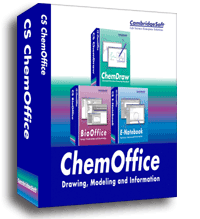
ChemDraw and ChemOffice 16
ChemDraw Prime is the complete entry-level drawing program that provides all the tools you need to quickly create chemically intelligent, publication-ready chemical structures and reactions, laboratory notes and experiment write-ups. As well as a full set of chemical structure essentials such as rings, bonds, chains, atoms and functional groups, ChemDraw Prime includes property calculators, chemical and lab equipment templates and handy TLC and Gel Electrophoresis Plate drawing tools.
ChemDraw Professional is the complete drawing tool of choice for chemists and biologists to create publication-ready, scientifically intelligent drawings for use in ELNs, databases and publications and for querying chemical databases, now including SciFinder®. ChemDraw Professional includes all the features in ChemDraw Prime extended with biopolymer tools, BioDraw, NMR prediction and Name=Structure. It also enables structure data exploration, organization and processing with ChemDraw for Excel, ChemFinder Standard, and ChemScript.
ChemOffice Professional is a scientifically intelligent, integrated suite of personal productivity tools that enables scientists and researchers to capture, store, retrieve, analyze and share data and information on compounds, reactions, materials and their properties. ChemOffice Professional includes all the features and functionality in ChemDraw Professional plus Chem3D with 3rd party interfaces and ChemFinder Ultra, and it helps chemists and biologists to efficiently keep track of their work, visualize and gain a deeper understanding of their results and correlate biological activity with chemical structures. Site license customers are also entitled to CDSL, which is an enterprise-wide deployable version of ChemDraw for iPad.
Customers with current subscriptions or maintained perpetual licenses to previous versions of ChemDraw and ChemOffice will be offered migration options to the version 15 products with closely equivalent functionality, as shown below:
| ChemBioOffice Ultra | --> | ChemOffice Professional |
| ChemBio3D Ultra | --> | ChemOffice Professional |
| ChemBioDraw Ultra | --> | ChemDraw Professional |
| ChemBioDraw Pro | --> | ChemDraw Prime or Professional |
| ChemBioDraw Std | --> | ChemDraw Prime |
| ChemBioDraw Plugin Pro | --> | ChemDraw Prime |
| ChemScript | --> | ChemDraw Professional |
ChemDraw works as you'd expect. It's easy to install, use, and should you wish to uninstall it, these are the simple steps: On Windows, use Start/Control Panel/ Add or Remove Programs on Windows. On Mac drag the app from the Applications folder to the Trash (located at the end of the Dock), then choose Finder > Empty Trash.
ChemOffice Professional is a scientifically intelligent, integrated suite of personal productivity tools that enables scientists and researchers to capture, store, retrieve and share data and information on compounds, reactions, materials and their properties. ChemOffice Professional helps chemists and biologists to efficiently keep track of their work, visualize and gain a deeper understanding of their results and correlate biological activity with chemical structures.
ChemOffice Professional includes the following applications:
ChemDraw Professional is used by hundreds of thousands of scientists around the world to quickly and effectively draw molecules, reactions and biological entities and pathways for use in documents and electronic lab notebooks; to search databases, now including SciFinder; to generate accurate names from structures; and to predict properties and spectra.
ChemDraw for Excel adds chemical intelligence to Excel spreadsheets so that chemists can use Excel’s analysis, sorting and organization tools to further manipulate and enrich sets of compounds and data and explore structure-activity relationships.
Chem3D generates 3D models so that chemists can view their compounds in three dimensions to assess shape and properties to maximize activity or specificity. Chem3D also includes GAMESS and interfaces to other computational tools including Gaussian, MOPAC, Conflex and Autodock.
ChemFinder is a chemically-intelligent personal database system that scientists use to organize their compounds and to search for and correlate structures with properties and to transform data into easy to understand visualizations, cluster maps and ideal compound profiles to easily discern structure-activity relationships.
ChemFinder for Office scans files and directories for chemical structures and can be used to search documents by structure to locate compounds of interest.
ChemScript is scripting language that exposes the underlying chemical structure processing power of ChemOffice to developers who want to manipulate structures and automate processes.
CDSL Mobile is a site-deployable version of ChemDraw for iPad for Site Subscription customers.
The tight integration that ChemOffice Professional provides between these chemistry and biology applications enhances their individual value by enabling cross functional R&D teams to easily share files and documents and therefore communicate and collaborate more effectively.
ChemOffice Professional enhances scientists' personal productivity and helps them do better science by enabling them to organize and explore their compounds, reactions, materials and associated properties so that data can be turned into actionable information, and decisions can be made with greater confidence.